
Download PDF OCR X Community Edition – Free OCR tool for PDFs, searchable text, Windows, Mac
Overview
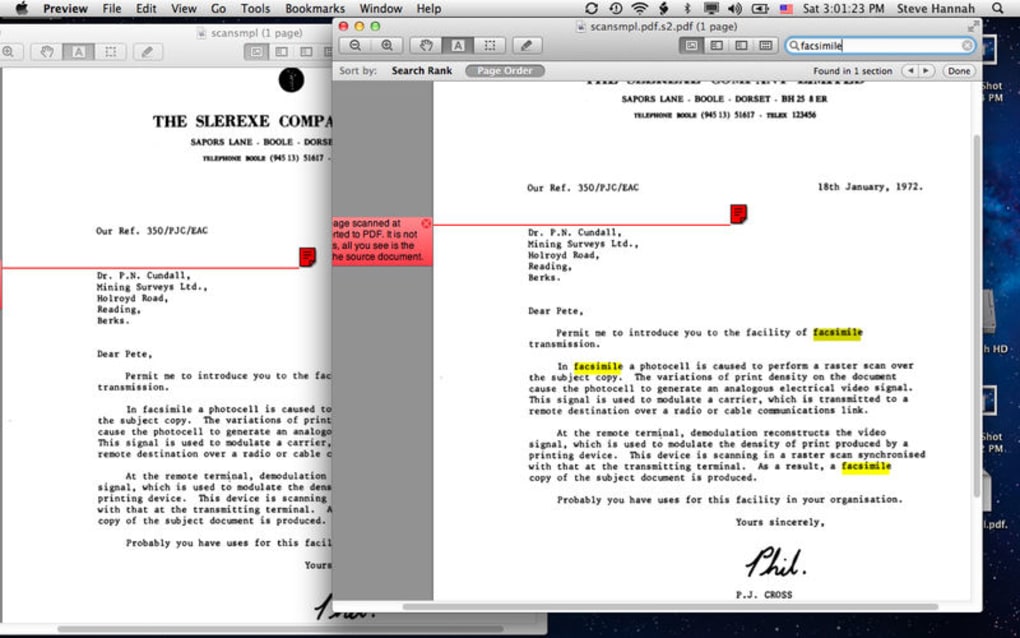
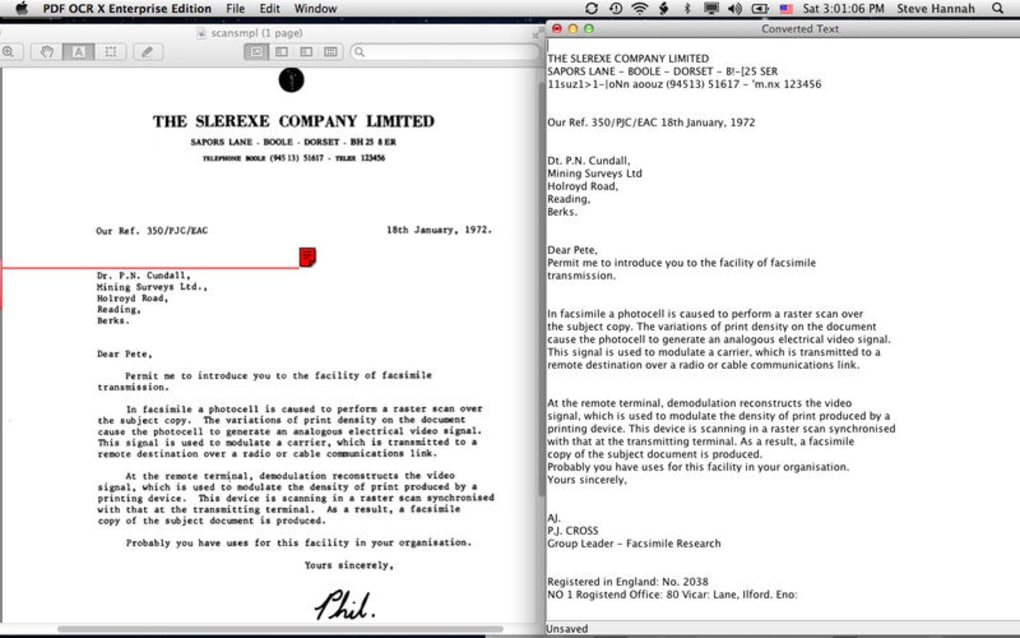
PDF OCR X Community Edition is a lightweight, free OCR (Optical Character Recognition) utility designed to transform single‑page PDF files into searchable text documents or fully searchable PDFs. The tool targets users who need a quick, no‑frills solution for digitising printed material, receipts, invoices, or archived reports without the overhead of a full‑scale commercial suite. Despite being a community‑driven edition, the OCR engine delivers surprisingly accurate character recognition, especially on documents with tricky fonts, low contrast, or minor scanning artefacts.
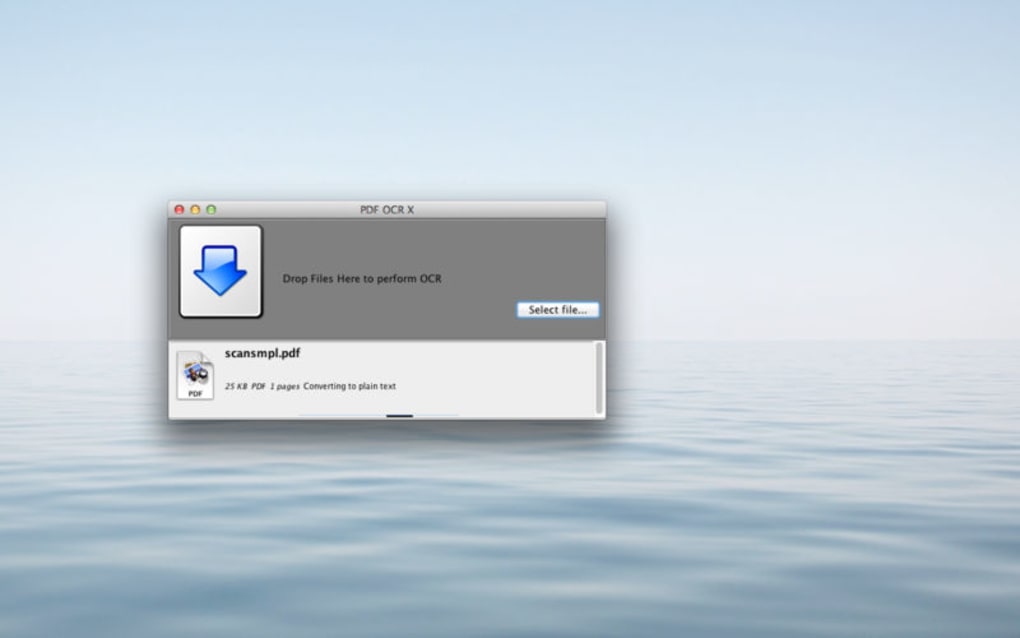
Its clean interface removes distractions, presenting a single “Choose File” button, a language selector, and a “Start OCR” action. Once the conversion is complete, the output can be saved as a plain .txt file or a searchable PDF that retains the original layout and images. Because the software is open to community feedback, users can submit problematic OCR results directly to the developers, helping to improve future releases.
While the free edition only supports single‑page PDFs, it offers a solid entry point for individuals and small businesses that need to convert occasional documents without investing in pricey licenses. The application runs on both Windows and macOS, making it a versatile choice for cross‑platform environments. Its small footprint (under 15 MB) ensures fast download and installation, and because it’s free, it’s an attractive alternative for students, researchers, and anyone who frequently works with scanned paperwork.
Key Features
- Free OCR conversion for single‑page PDF files.
- Produces searchable PDFs that preserve original images and layout.
- Exports plain text files for easy indexing and editing.
- Supports multiple languages – English, French, German, Spanish, and more.
- High‑accuracy character recognition on low‑quality scans.
- Simple, no‑frills user interface that minimizes learning curve.
- Cross‑platform compatibility: native builds for Windows 10/11 and macOS 10.13+.
- Community‑driven improvement: users can submit OCR errors for future updates.
- Lightweight installer (under 15 MB) and quick launch time.
- Secure processing – all OCR is performed locally; no data is uploaded to the cloud.
Installation & Usage Instructions
Getting PDF OCR X Community Edition up and running is straightforward. First, visit the official download page and choose the installer that matches your operating system – a .exe file for Windows or a .dmg bundle for macOS. After the file finishes downloading, run the installer.
On Windows, the wizard will guide you through standard steps: accept the license agreement, select an installation folder (the default works for most users), and click “Install.” macOS users simply drag the application icon into the Applications folder. Once installed, launch the program. The main window presents a clean layout: a “Select PDF” button, a dropdown to choose the OCR language, and two radio buttons to select the output format (searchable PDF or plain text).
Click “Select PDF,” browse to your single‑page document, and confirm. If your document contains non‑Latin characters, make sure to pick the appropriate language to improve recognition accuracy. Press “Start OCR,” and the engine will process the file locally.
Progress is shown via a subtle progress bar; most single‑page PDFs finish within a few seconds, even on modest hardware. After completion, a dialog prompts you to choose a destination folder and file name. The resulting file can be opened in any PDF reader (Adobe Acrobat, Foxit, Preview) or a text editor (Notepad, TextEdit) to verify the output.
For power users, the application also offers a command‑line interface (CLI) – accessible by opening a terminal or command prompt and running pdfocrx -i input.pdf -o output.pdf -l eng. This feature enables batch processing scripts, although the community edition limits processing to one page at a time. Finally, if you encounter OCR errors, the “Send Feedback” button within the app allows you to attach the problematic PDF and a brief description, directly supporting the developers’ improvement cycle.
Compatibility
PDF OCR X Community Edition is built to run natively on the most common desktop platforms. For Windows users, the software supports Windows 10 (64‑bit) and Windows 11, requiring at least .NET Framework 4.7.2, which is already included in modern Windows installations. On macOS, the application runs on macOS 10.13 High Sierra and later, including Ventura and the upcoming releases, thanks to a universal binary that works on both Intel and Apple Silicon (M1/M2) chips.
The program does not rely on external libraries that need separate installation, ensuring a smooth, out‑of‑the‑box experience. While the community edition is limited to single‑page PDFs, the core OCR engine is the same as the paid version, meaning the underlying technology is robust across operating systems. Users who operate on Linux can still use PDF OCR X via Wine, though official support is not provided.
The software does not require an internet connection for OCR processing, making it suitable for offline environments and protecting sensitive documents from accidental uploads. System requirements are modest: a 1 GHz processor, 512 MB RAM, and at least 50 MB of free disk space for the application and temporary processing files. These low thresholds ensure that even older laptops or modest workstations can handle OCR tasks without performance bottlenecks.
Pros and Cons
Pros
- Completely free for single‑page PDF OCR, no hidden fees or trial limitations.
- High accuracy on challenging scans, especially with proper language selection.
- Local processing guarantees data privacy and eliminates reliance on cloud services.
- Lightweight installer and fast startup, ideal for occasional use.
- Cross‑platform support for both Windows and macOS, including Apple Silicon.
- Simple interface reduces the learning curve for non‑technical users.
- Community feedback loop helps improve the engine over time.
- CLI option provides automation potential for advanced users.
- No ads, no telemetry, and no forced upgrades.
- Supports multiple output formats – searchable PDF or plain text.
Cons
- Limited to single‑page PDFs; multi‑page documents require the paid version.
- No built‑in batch processing UI; automation relies on command line.
- Feature list is basic – no OCR of handwritten text or advanced layout analysis.
- Occasional mis‑recognition of rare fonts; manual correction may be needed.
- No integrated PDF viewer; users must open results in external applications.
Frequently Asked Questions
Can PDF OCR X Community Edition process multi‑page PDFs?
No. The community edition is intentionally limited to single‑page PDF files. If you need multi‑page OCR, the paid “Pro” version offers full batch processing.
Is the OCR engine performed locally or does it use cloud services?
All OCR processing happens locally on your computer. This design protects the privacy of sensitive documents and eliminates any need for an internet connection.
Which languages does the free version support?
The community edition includes support for the most common Latin‑based languages: English, French, German, Spanish, Italian, Portuguese, Dutch, and a few others. Additional language packs are available in the Pro version.
Can I use PDF OCR X on a Mac with an M1/M2 chip?
Yes. The macOS build is a universal binary that runs natively on both Intel and Apple Silicon processors, offering the same performance and accuracy on M1/M2 machines.
How do I report OCR errors to help improve the software?
Inside the application, click the “Send Feedback” button, attach the problematic PDF, and provide a brief description of the issue. The developers review submissions and incorporate improvements in future releases.
Conclusion
PDF OCR X Community Edition delivers exactly what its name promises – a free, secure, and easy‑to‑use OCR tool for converting single‑page PDFs into searchable documents. Its standout strengths are the high accuracy of its engine, the privacy‑first local processing model, and the simplicity of the user interface. While the single‑page limitation may steer power users toward the paid version, for students, freelancers, and small offices that only need occasional OCR, the community edition is more than sufficient. The cross‑platform support ensures that Windows and macOS users alike can benefit without juggling different tools. If you’re looking for a no‑cost solution that respects your data and gets the job done quickly, download PDF OCR X Community Edition today and start turning those static scans into searchable, editable content.







